SAMPLE SCREENS
The screens that run your unit.
Six screens you'll use every day. Click any one to see it in detail.
weavingerp.com
Loom Status · Live

Loom Dashboard
Every loom, every shift, every design — live on one screen.
See screen →weavingerp.com
Beam Planning

Beam Planning
Yarn requirements auto-calculated from design specs. No napkin math.
See screen →weavingerp.com
Wastage by Machine
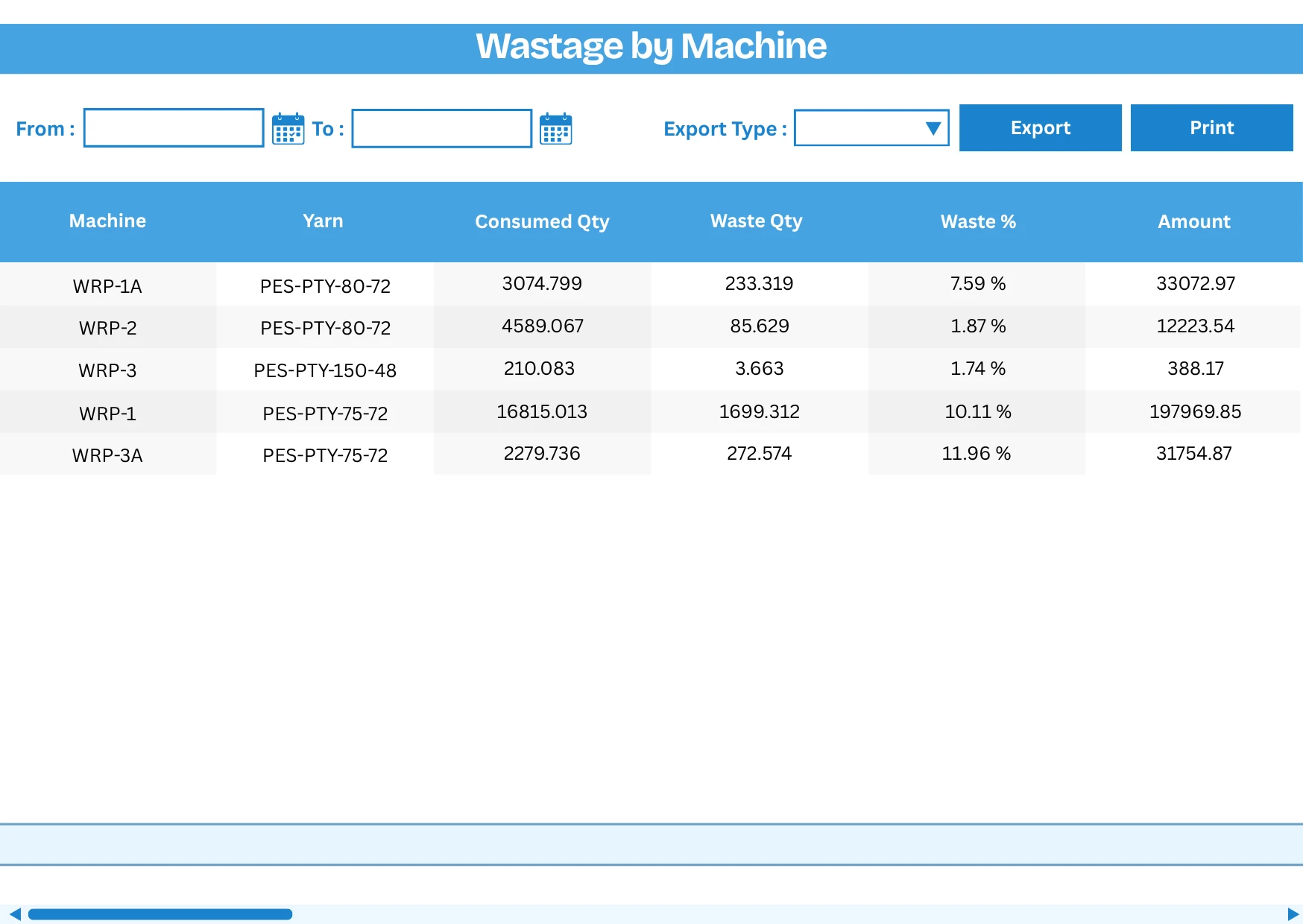
Wastage by Machine
Warp and weft wastage per loom, per shift — variance flagged before the shift ends.
See screen →weavingerp.com
Barcode Dispatch
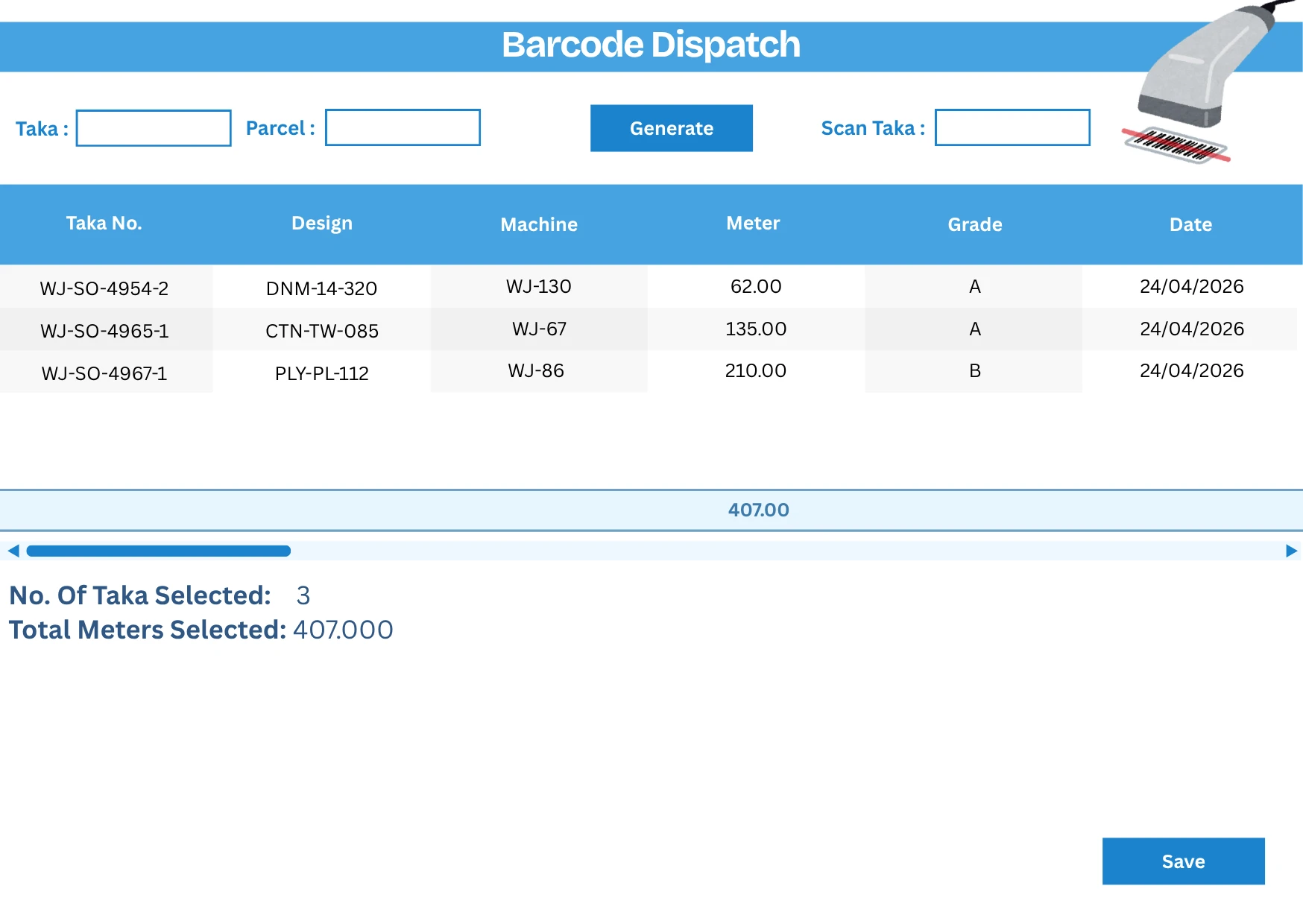
Barcode Dispatch
Scan each taka at the gate. Wrong takas caught before the truck leaves.
See screen →weavingerp.com
Weft Auto Consumption
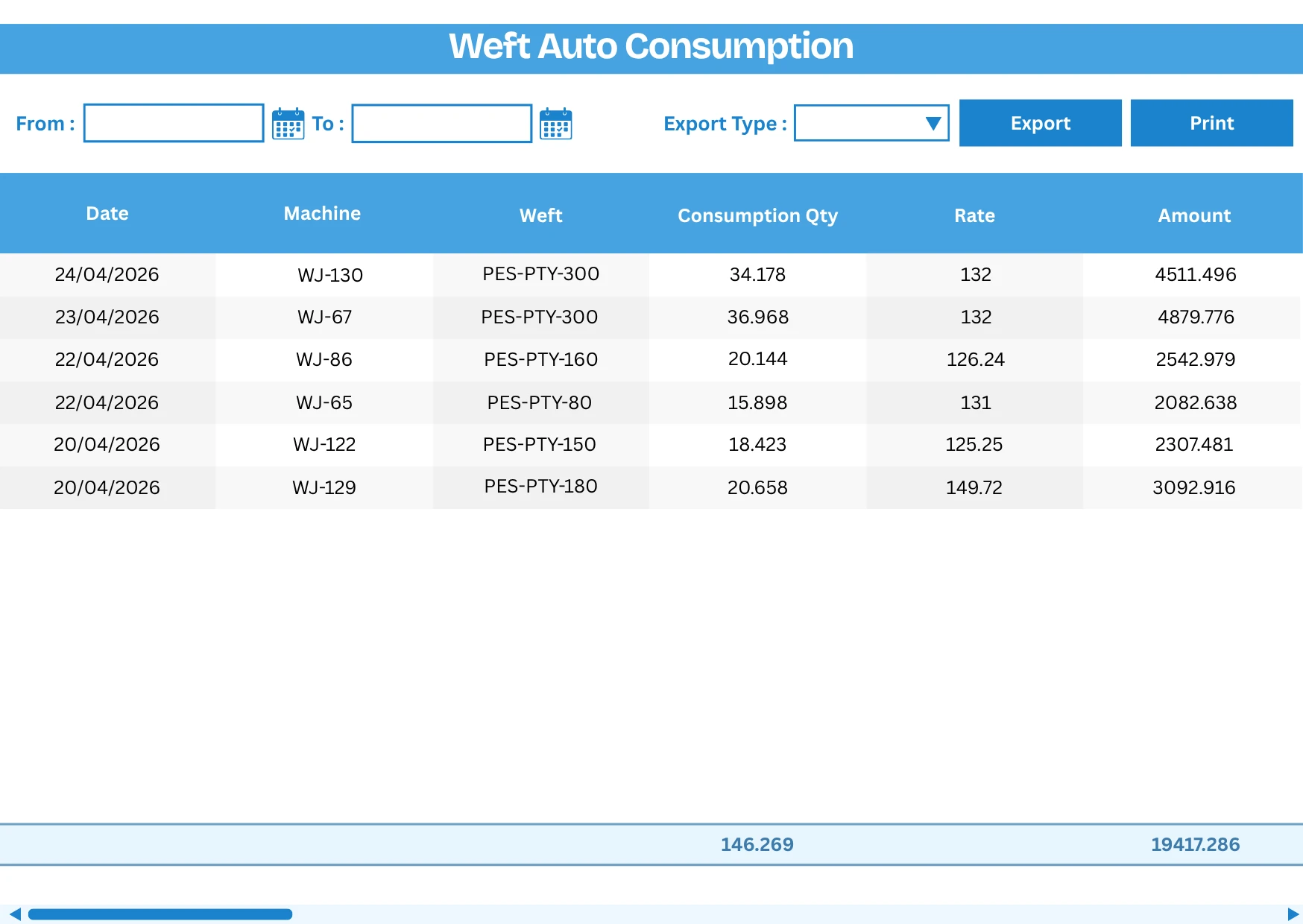
Weft Auto Consumption
Weft deducts from stock when greige is entered. No manual issue vouchers.
See screen →Owner Dashboard

Owner Dashboard
Production, wastage, targets, and order status from your phone — updated live.
See screen →Want a walkthrough with your unit's data?
Send your loom count and loom type. We'll show you these screens running on a unit like yours.
WhatsApp Us
2-hour reply, Mon–Sat