Barcode dispatch software for weaving units.
No disputes at the gate.
Each taka gets a barcode at grading. Dispatch scans at the gate, voucher generates from the scans, IRN and e-way bill follow. Wrong takas caught before the truck leaves. Audit trail in seconds.
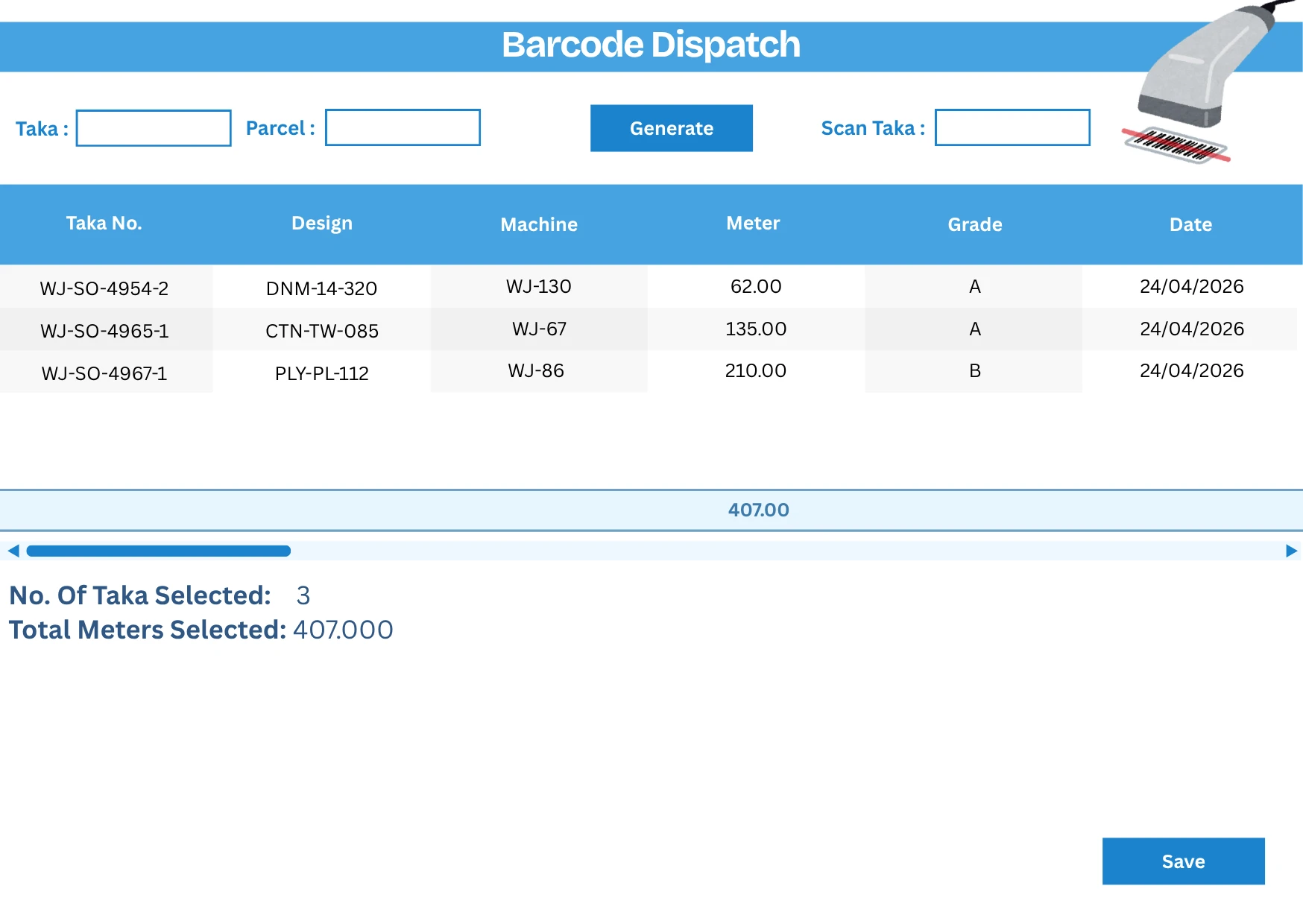
Barcode at grading. Scan at dispatch. Documents auto-generate.
Barcode at grading, scan at the gate
Each taka gets a barcode at grading — carrying grade, length, weight, design, loom, shift, grader, and timestamp. Dispatch scans the barcode against the customer order; the dispatch voucher generates from the scans. No manual list, no re-typing.
Wrong takas caught before the truck
If a taka of the wrong grade or wrong order is scanned at the gate, the system flags it before the truck moves. No more end-of-day disputes about which fabric was sent. The customer gets exactly what was committed.
E-way bill from the same data
The dispatch voucher generates the IRN and e-way bill automatically from the same payload — quantities, weights, HSN codes, GST. No separate GSTN portal entry, no risk of e-way-bill / invoice quantity mismatches.
Audit trail in seconds
Customer disputes about a dispatch resolve in seconds because the audit trail is complete: every taka scanned, when, by whom, the loom it was woven on, the grader who graded it. No he-said-she-said.
The full barcoded dispatch workflow, in one place.
- Barcode label printed at grading station with full taka metadata
- Mobile scanning at the gate using mobile phones (no special hardware)
- Customer-grade matching — wrong-grade takas blocked at dispatch
- Dispatch voucher generation from the scan list
- IRN and e-way bill in the same flow
- Vehicle and driver tagging for the e-way bill
- Searchable dispatch history by date, customer, vehicle, design, or grade
- How does barcode dispatch work in MobiOffice?
- Each finished taka gets a barcode label at grading — printed from the grading screen. The dispatch team picks against the customer order on a phone, scans each taka at the gate, and the dispatch voucher generates from the scans. The IRN and e-way bill follow automatically. No re-typing.
- Do I need special handheld scanners?
- No. The dispatch team uses the same phones supervisors use for doffing. The phone camera scans the barcode reliably enough for floor use. Dedicated handheld scanners are an option for very high-volume gate operations but not required.
- How does this resolve customer dispatch disputes?
- Pull up the dispatch by date, customer, or vehicle. The system shows every taka by barcode — including grade, length, weight, design, loom, and shift. Disputes resolve in minutes instead of arguments. The audit trail is the same data that drove the dispatch, so it's unambiguous.
- Does this work for jobwork and process-house dispatches?
- Yes. Jobwork dispatches go back to the customer with a returnable challan flow; process-house dispatches use the same barcode + IRN model. The grading and scanning workflow is the same regardless of business model.
- What about old takas without barcodes?
- During the implementation phase, takas already in stock can be barcoded retroactively at the cropping station before any dispatch. New production goes through the standard barcoded grading from day one. No big-bang cut-over needed.
Continue with related pages.
The actual interface — taka scan list and dispatch voucher generation.
Read →How barcode dispatch fits the broader production flow.
Read →A/B/C grade hierarchy, audit trail, barcoded grading workflow.
Read →Barcode scanning, picking lists, customer dispute resolution.
Read →What a taka is and how it ties to grading and dispatch.
Read →IRN and e-way bill from the same dispatch entry.
Read →Want to see barcode dispatch on a unit like yours?
Send your loom count and dispatch volume. We'll walk you through the gate workflow and the IRN flow.